Driving behavior report – Settings
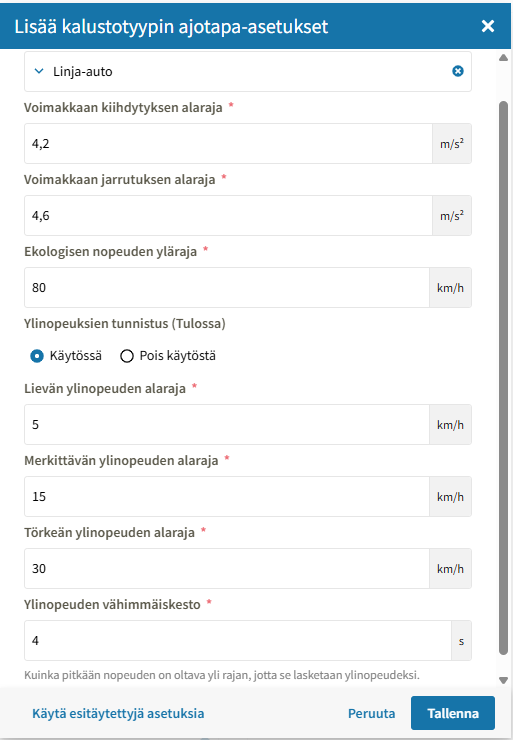
The asset types displayed in the report are selected under the company settings (> Assets), where the thresholds affecting driving behavior measurement are defined (acceleration, braking, eco-speed limit). Speeding monitoring can be enabled or disabled separately:
- Lower limit for minor speeding: If the lower limit is 5 km/h, the speed must exceed 105 km/h in a 100 km/h speed limit zone
- Lower limit for significant speeding: Significant speeding reduces the driver’s overall grade by -15% (about one grade, e.g., B > C)
- Lower limit for severe speeding: Severe speeding reduces the driver’s overall grade by -30% (about two grades, e.g., B > D).
- Minimum speeding duration in seconds: Only speeding events that last longer than this duration are counted. A minimum value is recommended here, for example, the default of 4 seconds.
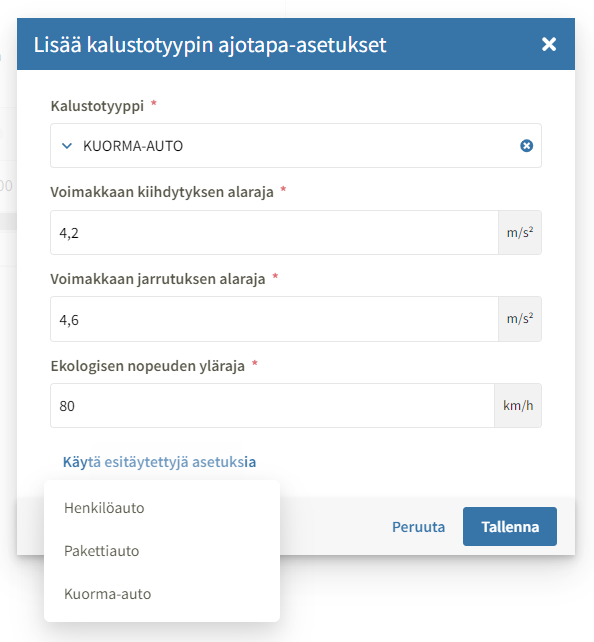
For example, passenger cars and trucks can have different acceleration values.
When adding a new asset type, you can select the closest matching pre-filled setting, which populates the fields with the preset values. You can also edit the values manually.
The upper limit for eco-speed is also set separately for each asset type.
Compatible trackers
Reporting can be enabled for all newer Teltonika trackers.
- FMM series (e.g., FMM130, FMM003, FMM650) devices are supported
- FMB series (FMB122, FMB001) 2G devices are also supported, taking into account the declining 2G network coverage
Incompatible trackers
FM series devices are not supported and should be replaced with newer hardware versions when driving behavior reporting is enabled. Reporting also does not work with DigiDL devices or asset trackers (LoRa-type devices).
- FM2200, FM4200, FM1100, FM1200, FM1000, FM1010, FM1120, FMA120, FM1122, FMA204, FMB630, FM5300, TMT250
- DigiDL, MX2 Turbo, DX4i
- A9 TRIX
- all asset trackers
Tracker installation
Trackers connected to the OBD port can calibrate themselves according to their position, meaning the orientation of the OBD port does not matter.
Fixed-installation devices also have automatic calibration, but Teltonika still recommends installing them in the orientation specified in the user manual and securing them firmly. This should be taken into account during installation to ensure the device cannot shake or move loosely.
Updating tracker configuration
When driving behavior reporting is enabled, technical support must be notified and provided with a list of devices that require the new driving behavior configuration. If device configurations are not updated, the reporting will not produce meaningful data.
Team visibility
The report follows team visibility settings. A team supervisor can only view trips by members of their own team. In other words, at least one team is required for the report to display data.
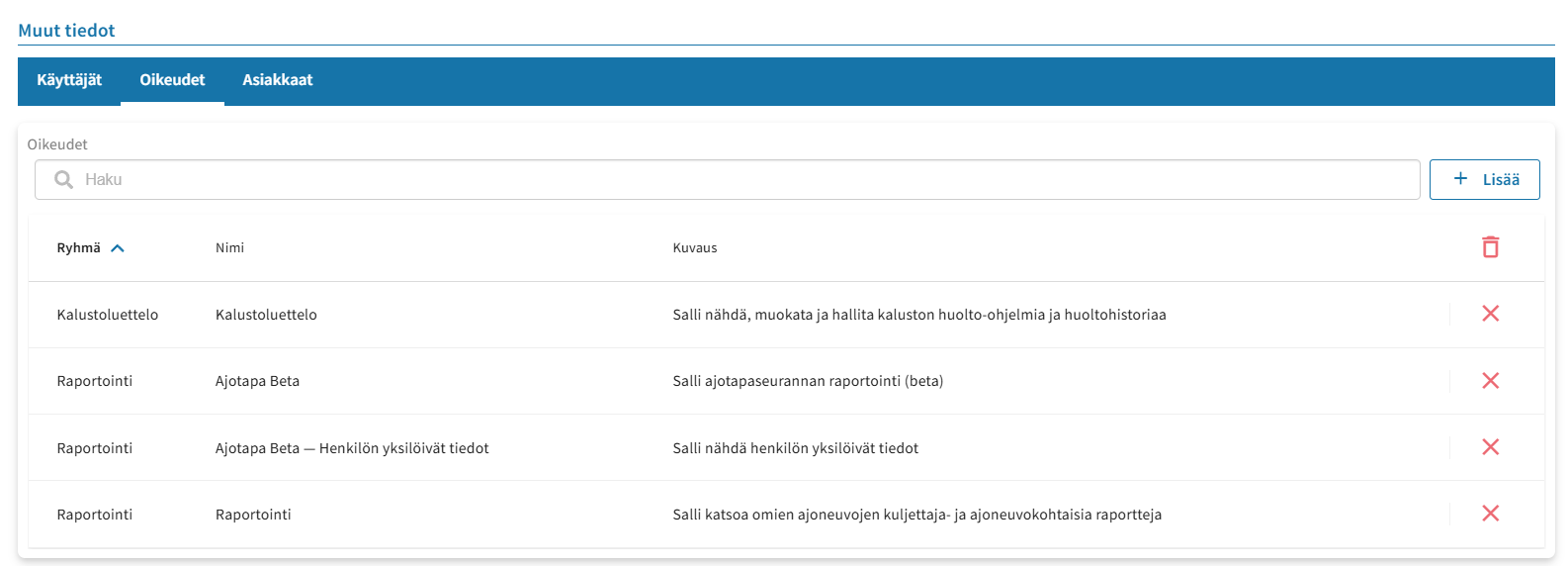
Minimum permissions to make driving behavior reporting visible on mobile: