Maintenance programs
Adding a maintenance program for assets
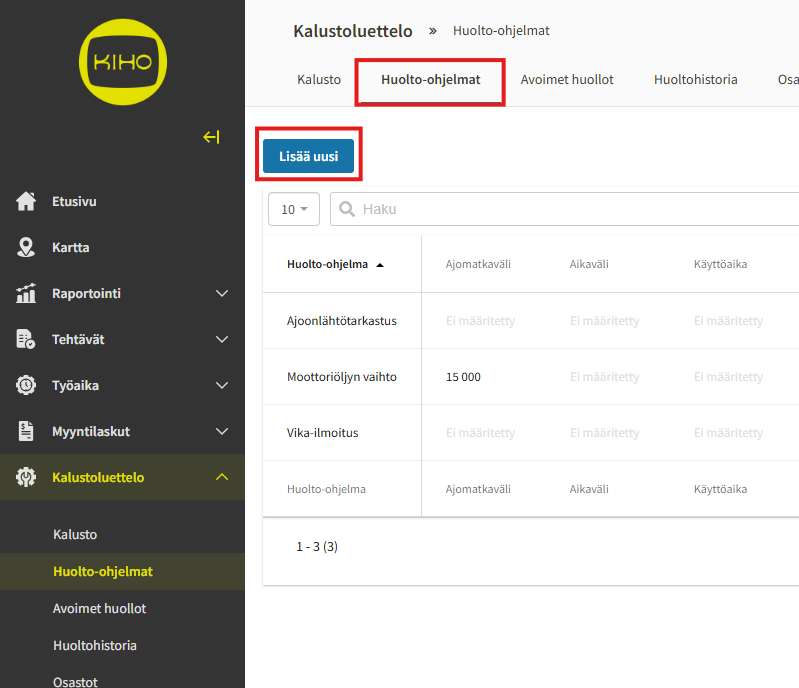
To create a maintenance program for an asset or to add assets to existing maintenance programs, go to the Maintenance programs tab in the asset list.
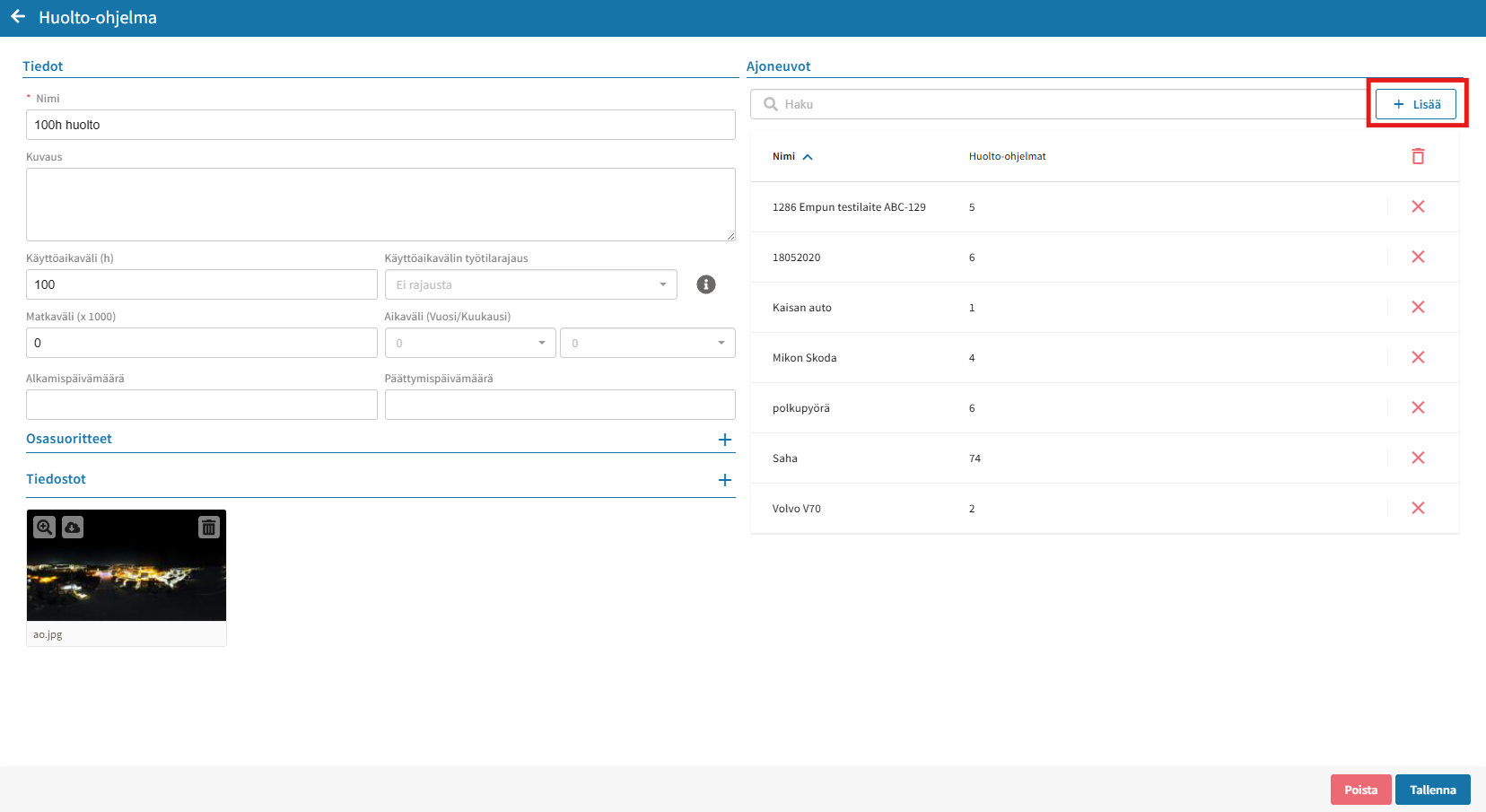
You can add existing maintenance programs to assets by clicking the desired maintenance program and selecting the asset from the Vehicles menu.
Remember to save your changes in the bottom right corner.
You can create a new maintenance program using the Add new button.
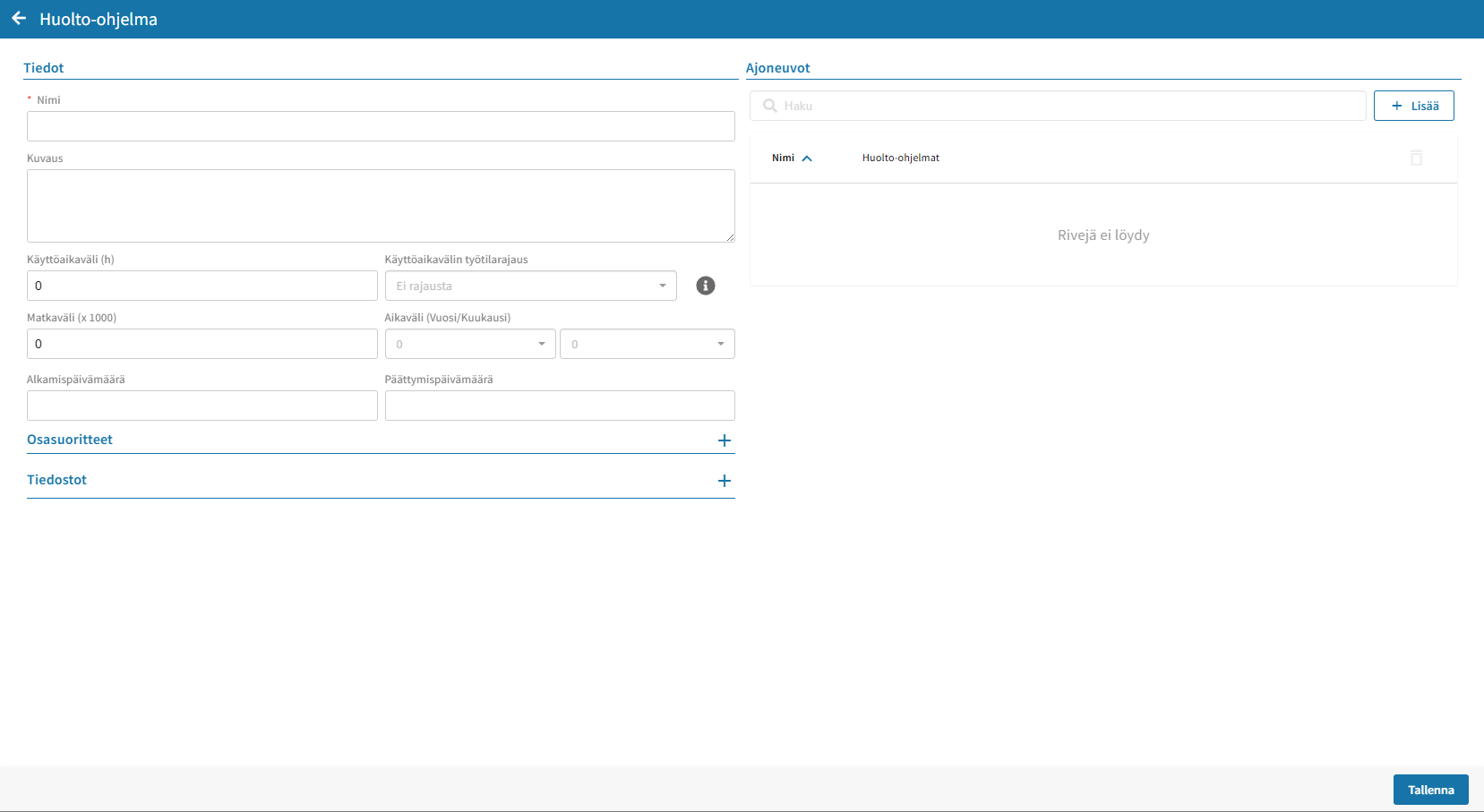
Creating a new maintenance program
Give the maintenance program a Name.
Specify the basis for calculating the maintenance interval:
- Operating time interval (h)
- Distance interval (km)
- Time interval (year/month)
- You can set a start and end date for the calculation to begin, e.g., the date of the most recent maintenance.
- In the Description field, you can add instructions regarding the maintenance content.
- Under Subtasks, you can define individual work steps that the person performing maintenance must inspect and check off.
Add the assets covered by the maintenance program.
Finally, click Save in the bottom right corner.
Notifications
If you want to receive an email or text message notification about upcoming maintenance or defect notifications, you can add a maintenance notification recipient for each asset.
The recipient must have a Kiho user account.
Click the desired asset in the asset list to add a maintenance notification recipient.

Go to the Maintenance tab and click Recipients.
Add a recipient by clicking the Edit button in the bottom right corner.

Click the Add button on the right side of the search field to select the maintenance notification recipients for the asset.
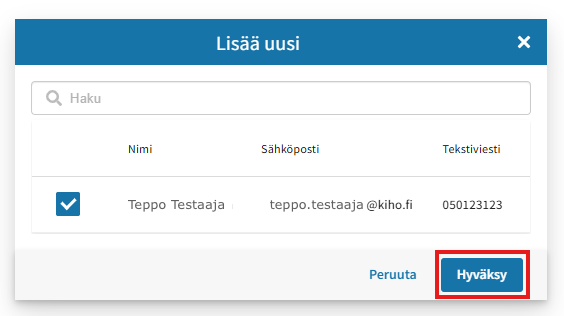
Select the users from the list and click Accept.
Select whether the notification is sent to the user via email or text message.
Finally, click Save in the bottom right corner.

As the maintenance approaches, alert colors will appear next to the asset in the "Maintenance Program Status" column on the asset list.
The first maintenance notification is sent to the recipient when about 10% remains until the maintenance date. For example, if maintenance is performed once a year, the first notification about upcoming maintenance is sent to the user around 2 months before the time specified in the maintenance program is reached.
